

Fast-moving markets can punish anyone who misses the right headline, especially when options activity, SEC filings, analyst ratings, and economic data are scattered across different sources.
TradeXchange brings that market-moving information to one central location, helping you catch important developments as they happen.
In this TradeXchange review, I’ll look at what the service offers, how useful its tools are, and whether it delivers enough value to justify the cost.
>> Join TradeXchange And Access Market News Faster <<
 What Is TradeXchange?
TradeXchange brings real-time market news, unusual options activity, SEC filings, analyst updates, and economic data into one streamlined platform. Starting at $44.95 per month, its NewsDesk, Daily Analytics, and market reports help active traders stay informed without constantly switching between multiple information sources. TradeXchange combines a real-time NewsDesk with SQUAWK audio alerts and market intelligence backed by partners with over 50 years of combined Wall Street experience. Its market-neutral approach, including restrictions on employees trading information published through NewsDesk, adds credibility to its reporting. TradeXchange specializes in delivering timely market intelligence rather than stock recommendations or model portfolios. Its tools are most valuable to active traders and investors who regularly monitor market developments and prefer making independent investment decisions.
TradeXchange is a real-time market news and intelligence service designed to help members separate important developments from the constant noise surrounding the financial markets.
That experience shapes a service focused less on telling you what to buy and more on getting useful market information in front of you quickly.
At the center of TradeXchange is a myriad of tools designed to help you do just that, from a live NewsDesk to Squawk service and more analytics than you can shake a stick at.
The main idea behind the service is speed without information overload.
Instead of checking several news sites, corporate releases, filings, and economic calendars throughout the day, you get a centralized stream of information they can evaluate for yourself.
>> Get Started With TradeXchange Today <<
Is TradeXchange Legit?
 TradeXchange checks the boxes I want to see from a legitimate market-news service.
The company follows a “Built for Traders, By Traders” philosophy, with its partners bringing more than 50 years of combined Wall Street experience to the platform.
One detail I especially like is that TradeXchange employees are not permitted to trade on the information posted through the NewsDesk.
The platform also states that it does not profit from the information it publishes, which is meant to keep the service market neutral and reduce potential conflicts of interest.
There is also plenty of transparency around the fact that TradeXchange is a news media entity rather than a registered broker-dealer or investment adviser.
It provides material for informational purposes, and members are responsible for making their own financial decisions.
>> Unlock TradeXchange NewsDesk Access Today <<
 How Does TradeXchange Work? Real-Time News, Market Alerts, and Audio

Using TradeXchange feels less like following a traditional financial newsletter and more like having a steady stream of market information available throughout the day.
The day starts with the Morning Mash-Up, which arrives around 7:30 AM and shares overnight developments, premarket movers, and other company-specific news.
Once the market gets moving, the NewsDesk becomes the center of the platform, running from 5:30 AM to 5:00 PM and covering everything from unusual options activity and analyst changes to block trades, company news, and economic data.
NewsDesk remains available outside those hours, though after-hours posts are not always real-time.
The Squawk runs alongside it from 6:45 AM to 4:30 PM, calling out selected major headlines through audio.
At the end of the session, the Market Wrap-Up provides a recap and looks ahead to the next day’s earnings and economic events.
Then, on Saturday mornings, the Week Ahead Report lays out major events scheduled for the coming week.
That workflow is what I like most about the service.
I can prepare before the open, follow breaking information during the session, and catch up afterward without bouncing between several unrelated sources.
>> Join TradeXchange For Real-Time Market Insights <<
TradeXchange Market Coverage: Options Activity, SEC Filings, and Breaking News
The amount of information inside TradeXchange surprised me once I started digging through the NewsDesk.
It tracks unusual options activity, block trades, real-time press releases, analyst activity, volume alerts, volatility alerts, technical levels, economic data, geopolitical developments, and macroeconomic news.
There is also a social-media element.
TradeXchange filters market-related chatter and other widely circulated information that may be moving around financial desks, forums, or social platforms.
SEC coverage adds another useful layer.
The service can flag forms including Form 4, 8-K, 13-D, 13-G, S-3, and S-3ASR, while the NewsDesk uses color coding to help separate filings, economic data, unusual options activity, and Fed commentary at a glance.
Most of the platform focuses on the U.S. market, but it also covers major international headlines when they could have a broader impact.
Rather than concentrating on a single type of event, TradeXchange tries to capture the different pieces of information that can move a stock or the broader market during the day.
>> Access TradeXchange Squawk Audio Today <<
What Is TradeX Plus?
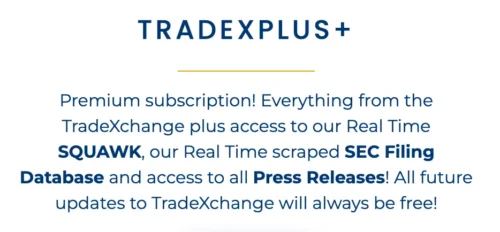 TradeX Plus is the upgraded version of the standard TradeXchange membership, going beyond the headlines to access the source material behind them.
The core service is still there, but there are some meaningful upgrades worth noting.
Instead of seeing that a filing has been released and then searching for it somewhere else, the SEC tool lets you the document directly and use the built-in search and filtering tools to narrow down the information you actually want to see.
Full press releases work in a similar way.
TradeX Plus provides releases from PR Newswire, Business Wire, GlobeNewswire, and ACCESSWIRE, which means you can move from a NewsDesk headline into the underlying announcement without leaving the platform.
Headlines are useful when speed matters, having this extra context goes a long way when deciding whether a development deserves more attention.
For that reason, TradeX Plus feels less like a completely different service and more like a deeper version of the same NewsDesk experience.
>> Upgrade To TradeX Plus Today <<
Who Is TradeXchange Best For?
 I see TradeXchange working best for folks who regularly follow the market and want important information in front of them without having to hunt for it all day.
Someone keeping an eye on earnings, analyst changes, unusual options activity, SEC filings, economic reports, company announcements, or breaking macro news should have plenty to work with here.
The Squawk is especially useful if you already spend a lot of time watching charts or working across several screens and need a source of audio input.
Tools like Daily Analytics and the Morning Mash-Up keep you in the know and updated on happenings when you can’t tune in all the time.I would also put TradeXchange high on the list for anyone who feels overwhelmed by the number of places they currently use to gather market news.
That said, someone who rarely checks the market and mainly holds positions for years may not make full use of a service built around real-time developments.
The faster you need information, the easier it is to see where TradeXchange fits.
 What TradeXchange Does Not Do

It’s important to approach the TradeXchange with the right expectations.
This is not a stock-picking newsletter, and the team is not sending out instructions telling members what security to buy or sell.
There is no traditional model portfolio filled with recommendations to copy either.
You also can’t treat any of the news you pick up as personalized investment advice or formal investment research.
You should use the service to see market-moving developments faster, check the information behind those developments, and decide for yourself whether any of them deserve further attention.
That is really the role TradeXchange is designed to play: provide the information, filter the noise, and leave the final decision with the member.
>> Unlock TradeX Plus Market Tools <<
 TradeXchange Features: NewsDesk, Squawk Audio, Analytics, and Mobile App

There is quite a bit packed into TradeXchange, but the platform becomes easier to understand once each feature is viewed as part of the daily market-news workflow.
The tools below cover everything from premarket preparation to real-time alerts and post-market analysis.
TradeXchange NewsDesk (Real-Time Access)
The NewsDesk is the core of TradeXchange and where most of the live information comes together.
It runs in real time from 5:30 AM to 5:00 PM, with additional posts continuing after hours, though those later updates are not always real time.
The feed covers U.S. and major international market-moving headlines, unusual options activity, block trades, SEC filings, press releases, momentum movers, analyst activity, and “Out of the Box” headlines.
Posts are timestamped to the second and you can search them by date, keyword, or ticker symbol.
The interface also includes dark mode, customizable notification sounds, temporary highlighting for new posts, and color coding that separates different types of information.
SQUAWK Audio
SQUAWK is the audio side of the NewsDesk and gives you another way to stay on top of major market developments without constantly reading the feed.
The service operates from 6:45 AM to 4:30 PM and focuses on important developments rather than reading every NewsDesk post aloud.
Coverage includes unusual options activity, U.S. and international market-moving headlines, SEC filings, press releases, and analyst activity.
You can turn on or mute audio broadcast controls, while the SQUAWK Player stores recordings from the previous 24 hours.
It’s possible to catch important updates while charts, filings, or other market data remain on screen, and you can replay missed callouts later without searching through the entire written feed.
>> Get TradeXchange Market Alerts Today <<
Ask The Desk
Ask The Desk gives direct access to the TX Team during the market day.
You can use the feature to ask about a specific NewsDesk post, resolve an account issue, or get clarification on something related to the service.
This adds a useful support layer to a platform built around fast-moving information.
When a headline needs more context or an account setting needs attention, there’s a dedicated channel rather than relying on outside support systems.
Just keep in mind that this isn’t a source for personalized investment advice, since you won’t find that here.
Daily Analytics
Daily Analytics serves those who want a structured summary of the market without following the NewsDesk from morning to close.
The service is split into two main reports: Morning Mash-Up and Market Wrap-Up.
Morning Mash-Up arrives around 7:30 AM and covers information from roughly 4:00 PM through 7:00 AM.
It includes the economic calendar, premarket data, SEC filings, company meetings, top analyst activity, overnight press releases, premarket movers, and earnings data.
Market Wrap-Up arrives around 5:00 PM and reviews the regular session.
It covers the next day’s economic data, upcoming earnings, the top 10 gainers and losers, social-media headlines, desk chatter, SEC filings, press releases, and unusual options activity.
>> Join TradeXchange For Faster Market Updates <<
Week Ahead Report and Calendar
The Week Ahead Report takes a broader view by helping you prepare before the new market week begins.
TradeXchange sends the report on Saturday morning, allowing time to review scheduled events before Monday.
Coverage includes U.S. and international economic calendars, company events and conferences, Federal Reserve speaker schedules, earnings calendars, year-to-date percentage returns, an FDA calendar, and selected technical-analysis charts.
Instead of reacting to breaking developments, you can see many important events in advance and prepare for days that may carry higher-than-usual activity.
The TradeX App
The TradeX App extends the TradeXchange experience beyond the desktop, which is important for a service built around timely market information.
You can use mobile access to keep up with the NewsDesk and other supported TradeXchange features when they are away from their main setup.
That makes it easier to follow breaking headlines, market-moving developments, and service updates without staying logged into a desktop browser all day.
In effect, it’s an extension of the core TradeXchange platform that gives you more accessibility no matter where you are.
It gives you another way to stay connected to the same market-information flow while moving between devices.
>> Access TradeXchange SEC Filing Tools <<
 TradeXchange Refund Policy and Subscription Cancellation Terms
While unsurprising, TradeXchange does not offer a refund policy for its monthly or annual plans.
What you see is what you get, and the argument exists that you can’t return the content you’ve gleaned from the platform as you use it.
After reviewing TradeXchange, these are the strongest advantages and a few minor drawbacks that stood out most.TradeXchange Pros and Cons
Pros
>> Discover The TradeXchange Advantage Today <<
TradeXchange Pricing: Member vs TradeX Plus Monthly and Annual Plans
TradeXchange currently offers two membership levels, each available on a monthly or annual basis.
The standard TradeXchange Member plan costs $44.95 per month, while the annual subscription costs $449.95.
Paying yearly works out to about $37.50 per month, saving roughly $89.45 per year, or close to 17%, compared with month-to-month.
The standard membership includes the real-time NewsDesk, Community Chat, Daily Analytics, and Week Ahead Report.
One important difference is SQUAWK: it is not included with the monthly Member plan, but it does come with the annual subscription.
That makes the yearly option considerably stronger for anyone who wants the live audio alerts alongside the written NewsDesk.
TradeX Plus costs $69.95 per month or $699.50 per year. Choosing the annual plan saves about $139.90, again roughly 17% versus twelve monthly payments.
Plus includes NewsDesk, SQUAWK, Community Chat, Daily Analytics, and the Week Ahead Report, while adding real-time SEC filings with TradeX AI and full press releases from PR Newswire, Business Wire, GlobeNewswire, and ACCESSWIRE.
>> Start Using The TradeX App Today <<
TradeXchange Track Record and Past Performance
TradeXchange does not maintain a traditional recommendation track record because it operates as a real-time news and market-information service rather than a stock-picking advisory.
Therefore, there’s no data highlighting wins or losses. Instead, it’s best to judge the platform by the depth and consistency of the market information it delivers.
I’d argue it does these things really well, monitoring unusual options activity, SEC filings, analyst activity, economic data, block trades, volatility, volume, press releases, and major U.S. and international headlines.
>> Join TradeXchange And Follow Markets Smarter <<
 Is TradeXchange Worth It?
After putting the platform through its paces for this TradeXchange review, there’s a lot of value here if you want to closely follow the market.
TradeXchange does not hand out individual stock ideas, giving you a faster way to monitor market-moving headlines, unusual options activity, economic developments, analyst changes, and SEC activity throughout the day.
The live NewsDesk and Squawk Audio handle the real-time side, while Daily Analytics and the Week Ahead Report make it easier to prepare before major events.
With the TradeX App, those updates are still accessible when you’re away from a desktop.
The TradeXchange Member plan should serve the needs of most, but I’d go annual to save money and get SQUAWK.
If you who want deeper access, TradeX Plus adds full press releases and real-time SEC filings with TradeX AI.
Overall, TradeXchange offers the most value to people who want timely information in one organized platform and prefer making their own market decisions rather than following stock recommendations.



 Tags:
Tags: